Headphone correction
Search 8,849 AutoEq profiles by headphone model. Discata remembers your choice for each output.
Learn more about headphone correction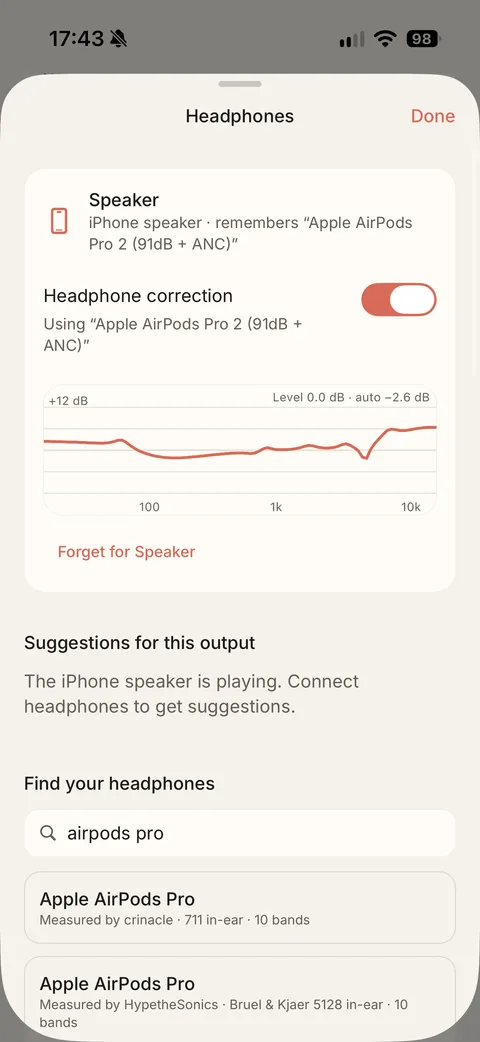
Make your music feel at home.
Discata plays the music files you own, offline. Add headphone correction, a parametric equaliser and virtual rooms, then switch back to the original file whenever you like. Everything is processed on your iPhone, and there is no account.
Free on iPhone · iOS 17 or later · No account
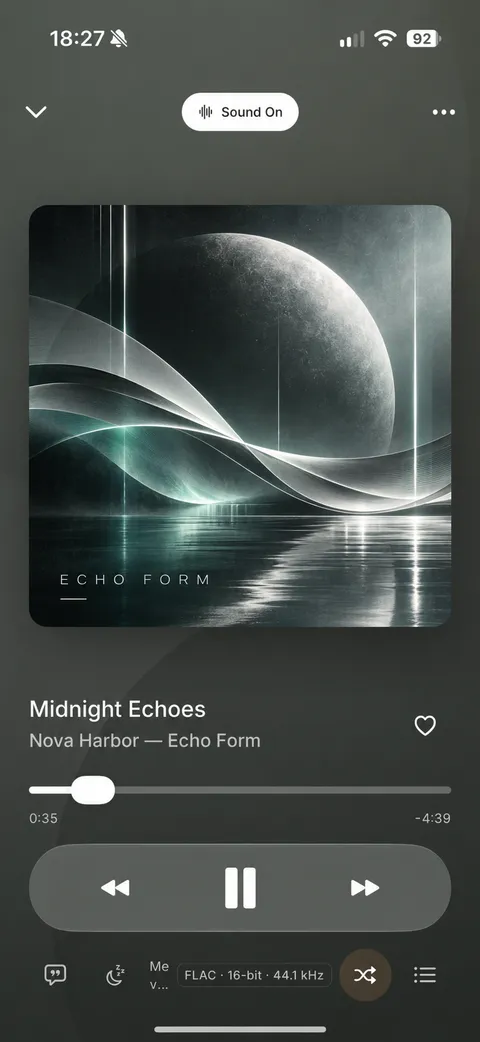
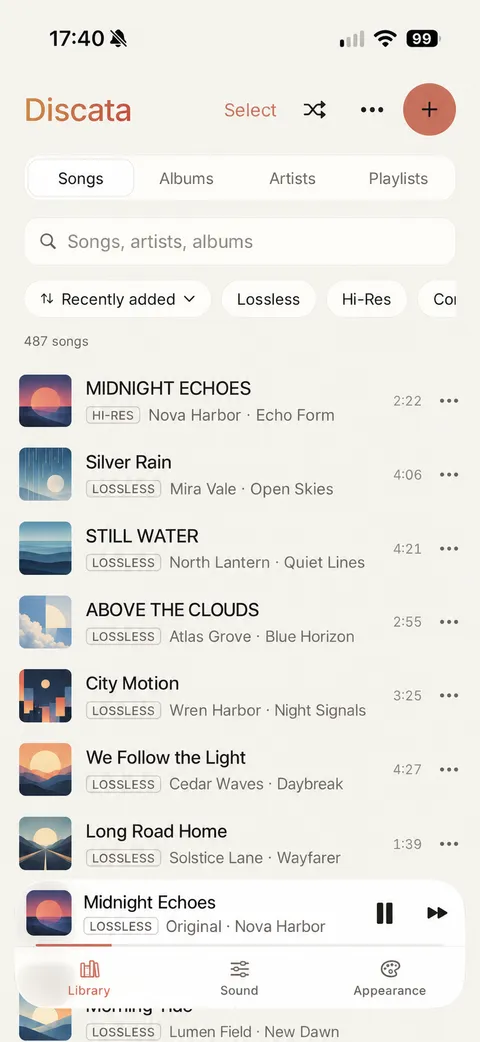
Everything is processed on your iPhone. EQ and rooms apply to music played in Discata.
Search 8,849 AutoEq profiles by headphone model. Discata remembers your choice for each output.
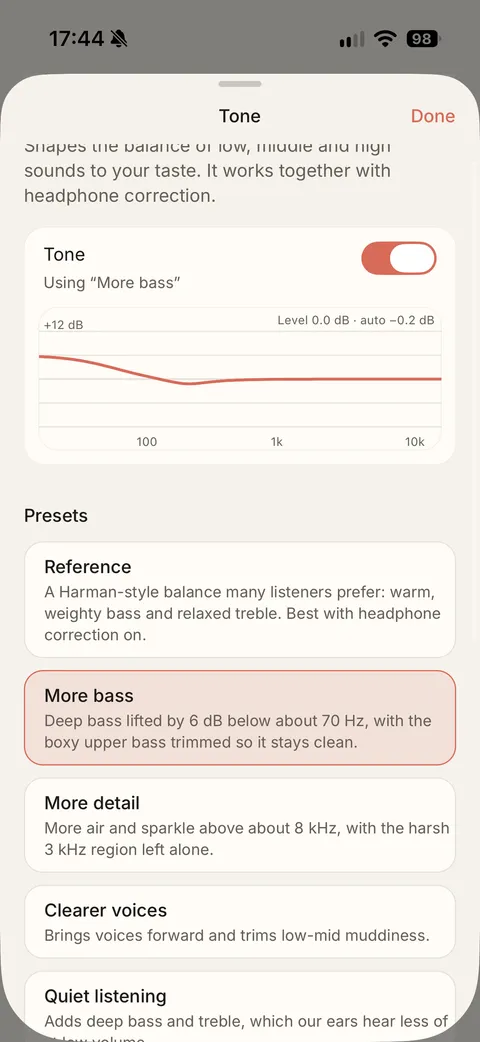
Learn more about headphone correctionA 10-band graphic EQ, or a parametric EQ with up to 32 bands. Drag the points on the curve and hear the change as you make it.
Learn more about tone and parametric EQ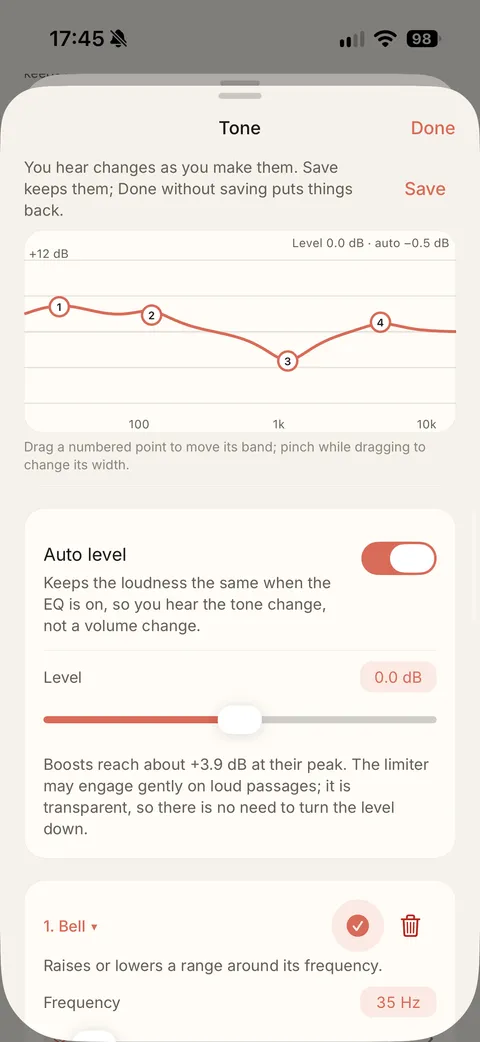
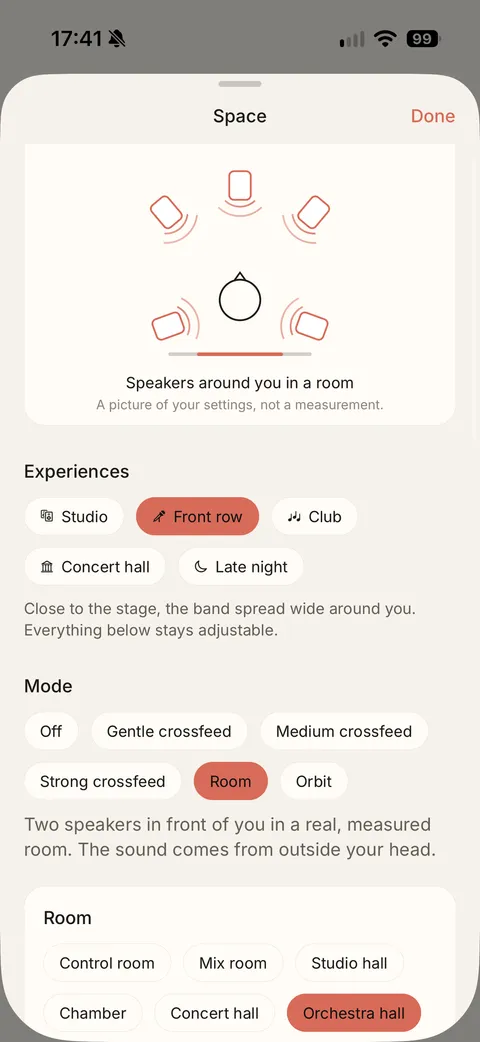
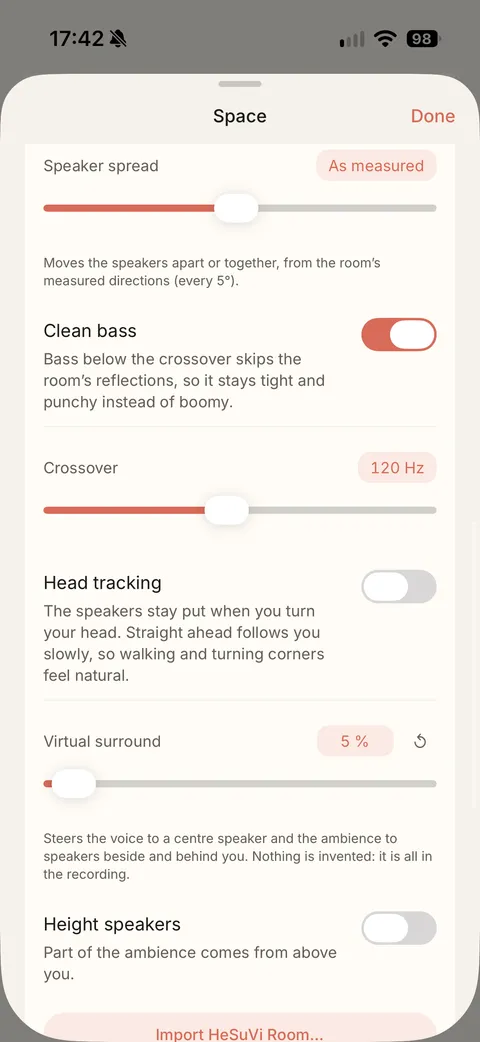
Six virtual rooms, crossfeed and Orbit, an 8D rotating effect. They are made for headphones.
Learn more about virtual rooms and 8DLoudness normalisation with Track and Album modes, targets of −14, −16 or −18 LUFS, and a true-peak limiter.
Learn more about consistent loudnessImport from Files or iCloud Drive. Discata keeps its own copy, so your library plays without a connection.
Learn more about your files, offlinePlays FLAC, ALAC, WAV and AIFF, as well as MP3 and AAC/M4A. The quality badge shows what each file really is.
Learn more about lossless formatsTap Sound On / Original while a song plays to compare the processed sound with the original file. Both play at the same loudness, so you judge the sound, not the volume. Everything is processed on your iPhone.
Nine starting points, one tap each. All of them stay adjustable.
Six virtual rooms that move the sound out of your head, plus crossfeed and Orbit.
Screenshots from Discata 1.0.0 on iPhone.
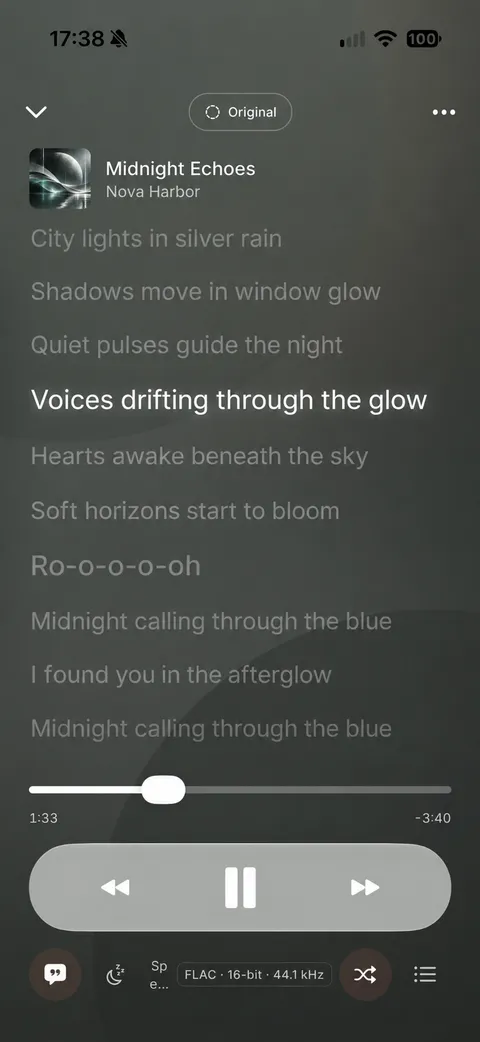
Read along with lyrics from the file, from a .lrc file, or from an opt-in online look-up.
Playlists, a queue and Smart Shuffle for the queue.
Choose how songs follow each other. Background playback and lock-screen controls work too.
Change the look of the player to suit you.
There is no account to create and nothing to sign in to.
Your music, playlists and settings stay on your iPhone.
Discata is free to download and use. The free version shows one short ad card after about every 7 minutes of listening, only between songs. You can close it after 5 seconds, and the music keeps playing.
A one-time purchase of £9.99 in the UK, not a subscription, removes ads permanently. It works on all your devices signed in to the same Apple Account.
I wanted a music player that gave me full customisation over the audio I was listening to, and over the player itself. The popular options didn’t offer that, so I made my own.
I’m Mevinton Kugathasan, a solo independent developer. Read more about Discata and me.
Discata is a free music player for iPhone that plays the music files you own, offline. It includes an equaliser, AutoEq headphone correction and virtual rooms. Discata is made by Mevinton Kugathasan, an independent developer, and was released in October 2026.
Yes, Discata is free to download and use. The free version shows one short ad card after about every 7 minutes of listening, only between songs. You can close it after 5 seconds, and the music keeps playing. A one-time purchase of £9.99 in the UK, not a subscription, removes ads permanently.
Yes, Discata works offline. When you import music from Files or iCloud Drive, Discata keeps its own copy, so your library plays without a connection. There is no account. The internet is used only for ads in the free version and for optional artwork and lyrics look-ups.
Discata plays MP3, AAC/M4A, ALAC, FLAC, WAV and AIFF files. You import them from Files or iCloud Drive, and Discata keeps its own copy so your library plays offline on your iPhone. No account is needed to import or play your music.
No. Discata plays music files you own and does not include a streaming catalogue. Downloads from Apple Music or Spotify are protected, so Discata cannot import them. If you have your own MP3, FLAC or other supported files, you can import them from Files or iCloud Drive.
Coming soon: a new look, new sound features and more.
See the teaserDownload Discata free from the App Store and bring in the music you already own.
Download on theApp StoreFree on iPhone. Requires iOS 17 or later. No account.